Developing a web-based economic strategy game: take over a small business in a real Spanish city and try to make it work.
Anthropic added a $100 Cloud credit to my account so I thought I’d try something that can run mostly unattended.
Claude Cloud runs from a GitHub repository so I’ve created one here https://github.com/robotzero1/Traspaso with an initial CLAUDE.md and SPEC.md file created by Claude after a brief discussion of what I wanted.
Off we go…
Milestone 1 is complete. We had a brief discussion about needing opening hours rather than just hours per day because some businesses are very reliant on certain parts of the day.
Milestone 2 is complete. I wanted to know how far it’s possible to measure footfall:
Milestone 3 is done with some choices made by Claude. I want to keep the game pretty low key without a hard failure or win scenerio.
Milestone 4 is done. It’s not making a simple game for sure!
Milestone 5 is done:
Milestone 6 is done:
I thinking the game should be in English for an international audience but I like the use of the Spanish terms to make it more authentic feeling to play.
Milestone 7 is done:
Thought it was time to take a look at the front end…
A few commands…
and I have the interface to play with:
It’s pretty complicated but this is OK because we are making the game’s financial engine at the moment and we need to test the maths are good before automating any boring elements.
I did a one month test. The game’s obviously not finished but it seems wildly optimistic with it’s income figures.
2184 customers spending an average of 3.86€ (nearly all will only be spending 1.50€ on a coffee). Also the total number of customers is about 15 per hour in a 17 seat café. Not normal for Spain. Let’s see what the next milestones bring.
Milestone 8 is done but I have to do some extra steps…
Quite a lot of cool stuff in this milestone:
Hmmm… there was a lot of messing around on this milestone to get the Streetmap data. Something that might have been easier if the whole thing was built locally.
Apologies to the Overpass team if I was abusing your API for the tiles…
Assuming it’s actually doing this properly, it’s incredible how quickly it moves through this stuff. I would have taken days to set up these tests and look over the results.
Seems to be happy with the footfall…
I’m not really happy with the way footfall is done through the day as some places in the city are swarming with people at times and other times .. dead. This is the improvements:
After some pulling, regenerating the geo stuff and pushing back to the repository…
nice!
Some results are in…
OK, now it seems to be going in circles tweaking things to make the game work in different scenarios. I’ll leave it running and then ask it some questions about average spend etc to see if if has sensible values for Spain.
Making a complete system for a client to upload PDFs and having a natural language search built for each one using Sonnet 5 and RAG.
As in my other recent projects, I’m going to use Matt Pocock’s Skills.
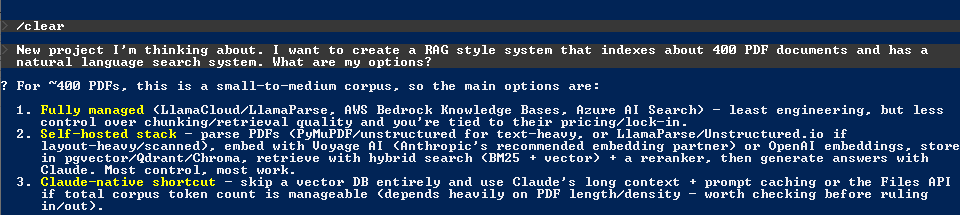
Very important.. start with /setup-matt-pocock-skills to create the environment (Issue Tracker, Agents file etc)
The previous project to this turned into more of an evaluation of the different techniques for natural language search. I wanted to use what had been learnt in that project so I asked Claude Code to make a document that could be used for this project.
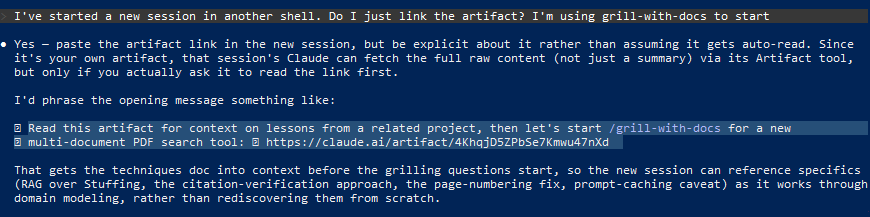
Here’s Claude’s instructions from the previous session:
I’ve pasted the highlighted line into the new session and Claude has (hopefully) ingested what we need to start with the
/grill-with-docs
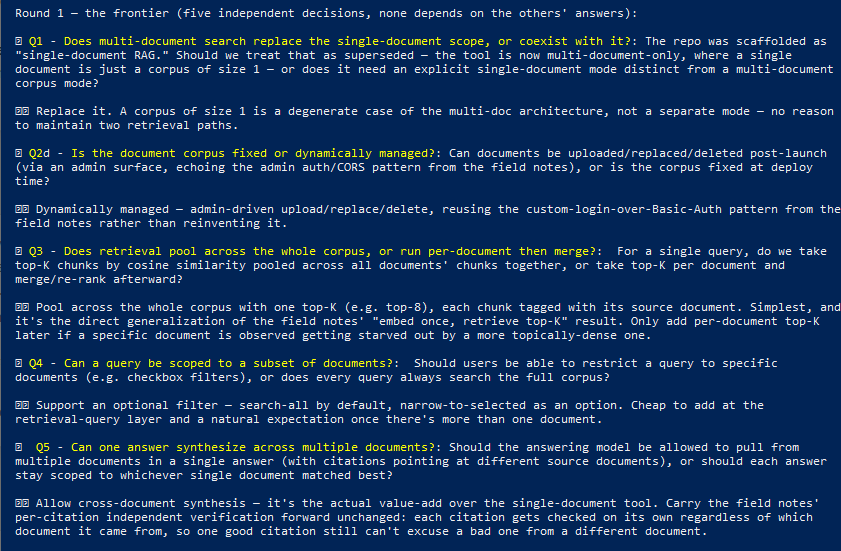
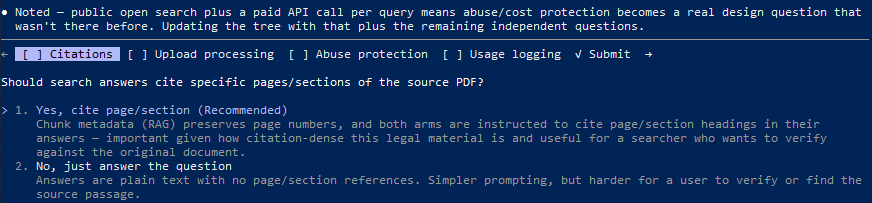
Round 1 questions…
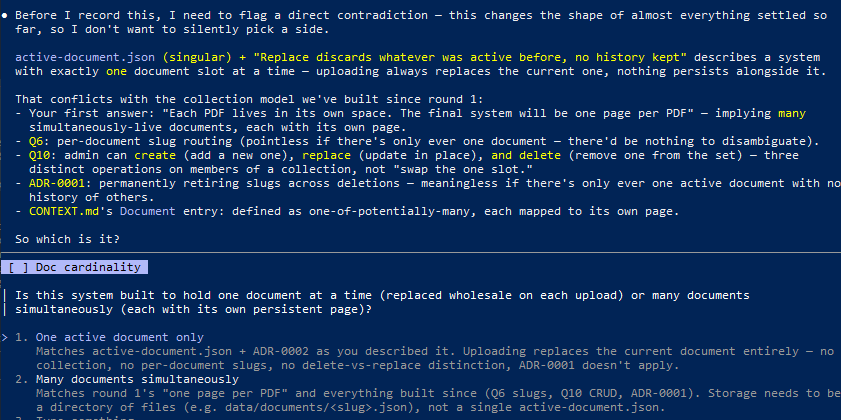
Looks like it wants to build a multi-document system but my use case is one search for one PDF. I’ll try to clear it up with the next prompt:
All of the PDFs should be treated as individual corpus so it is a single-document rag. Each PDF lives in it’s own space. The final system will be one page per PDF on the client facing site. Please ask more questions.
So many questions!…
My choices: Q6 slug, Q7 minimal, Q8 no directory, Q9 public, Q10 all three I’m going to build the client facing code around what Claude creates so some of this I just need the basic fetching from the endpoints on the VPS.
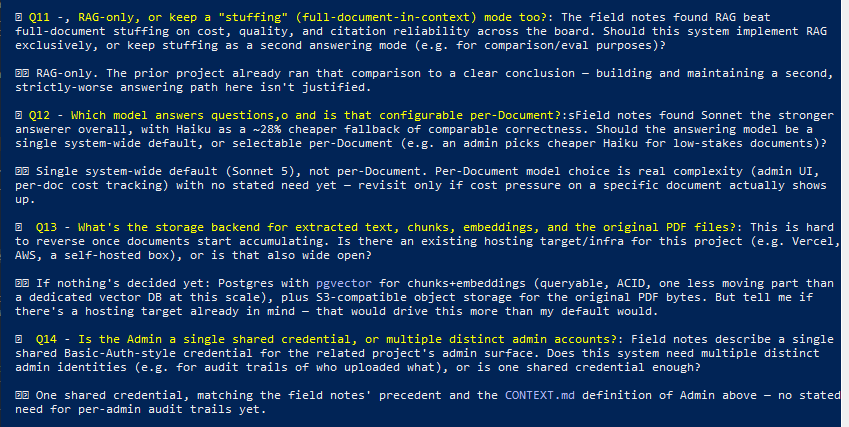
Next set of questions:
My choices: Q11 RAG-only, Q12 Sonnet default, Q13 ask me again as I have more detail on this, Q14 single credential
I checked the other session for the Q13 question and it’s much simpler than this session’s Q13 suggestion
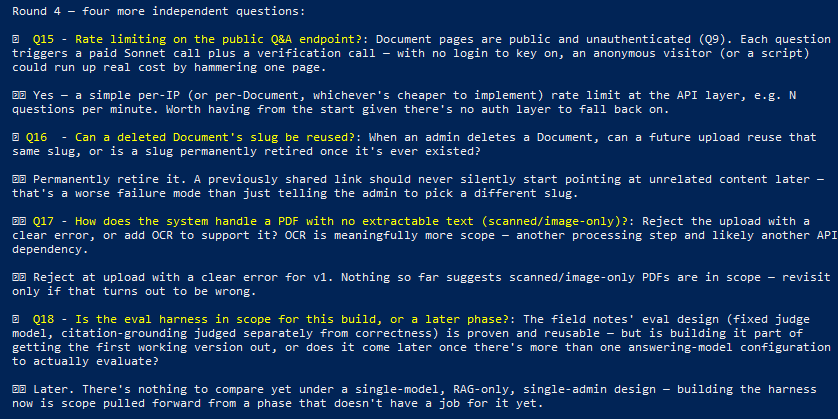
Round 4 questions…
My choices: Q15 yes, Q16 permanently retire, Q17 reject at upload, Q18 later
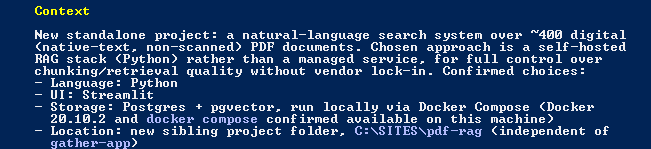
From the previous session, I got this to tell Claude in the new session:
Storage backend: a single JSON file on local disk (data/active-document.json), written atomically (write-to-temp, then rename). No Postgres, no vector DB, no S3.
What’s in that JSON file: extracted page text, full text, and RAG chunks — each chunk carries its embedding as a plain JSON array of floats, stored inline right next to the chunk text.
Original PDF bytes are not stored at all. The upload is extracted in-memory (multer’s memoryStorage) and the raw buffer is discarded immediately after extraction — only the derived text/chunks/embeddings survive (see ADR-0002: Replace discards whatever was active before, no history kept).
Hosting: a single OVH VPS, one Docker container, with data/ bind-mounted for persistence across restarts. No Vercel/AWS/cloud object storage anywhere in the stack.
Uh-oh, we have some confusion. I should have edited the response above before giving to the LLM.
So we had the first option in the previous evaluation project but now we are doing option 2.
Another question about logging, that didn’t seem like it needed to be asked, and questions are over.
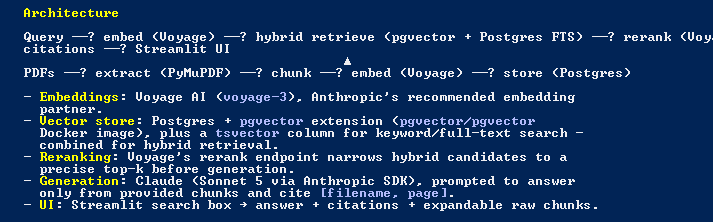
Here’s the full design…
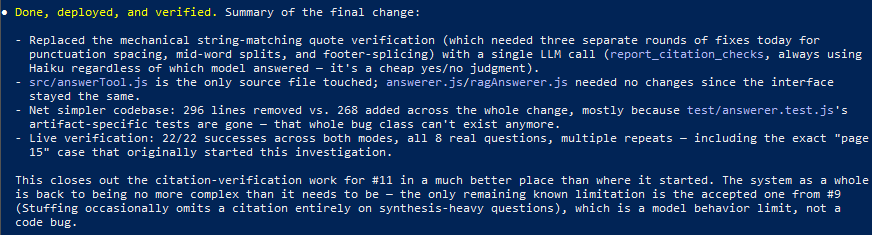
Not sure it knows that it has to do the second test with Haiku for the citations matching in the text but I can show it later from the other session.
Let’s run /to-spec
Choosing the test seam (chose 1)
Spec created (the first issue ‘ticket’ at GitHub)
Claude is already ahead of me here…
Here’s Claude’s suggestions…
This is one thing that always impresses me – how good this system is at ‘reasoning’ when it comes to creating the issues in GitHub.
All the tickets (issues) are ready…
Let’s start the coding with /implement
First ticket (#2) completed:
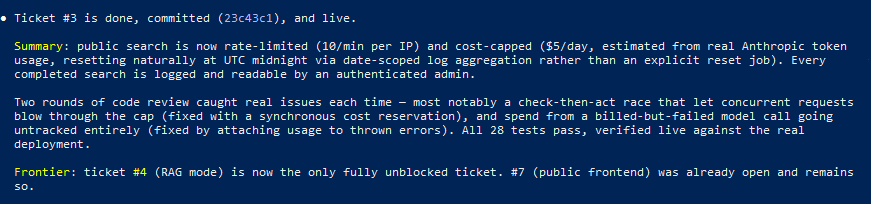
Ticket #3..
path traversal? Oops.
Onto #4
So it knows it has to do the citation verification with Haiku.
Claude loves coding those path traversal security holes…
Wot?!…
I guess I should have watched it a bit more closely as well. How weird to mess up the ticket numbers.
All the tickets were completed and the application tested locally.
Now setting up the server and Claude again is so good at reading what’s already installed on the server and trying various things via OVH API keys for setting up a subdomain. Eventually discovering it’s not possible but this is just how it is with the VPS.
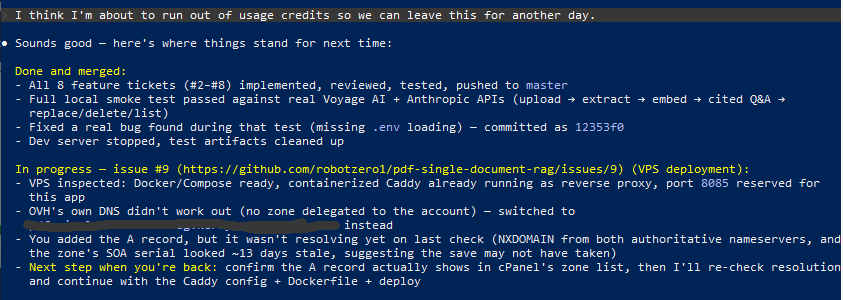
Decided to leave things for another day…
Another day arrives and the DNS record has propagated we are ready to set everything up on the VPS.
I wanted to check where we are because there’s no client interface and I wanted to make sure this was still in Claude’s plans.
Suggested ticket to create the client interface looks good:
All completed by Claude, including a code check and also self check visually using Claude in Chrome.
In admin, a manual check of uploading a document has worked, although I’m not seeing the logging of queries here.
Client side all seems working but.. it’s got the wrong page numbers as in the previous project because the document printed page numbers don’t match the real PDF document pages.
I asked the previous Claude Code session from the evaluation project – I still have it open – to take a look at what the new Claude Code session has given me…
Pretty cool, the other session can tell the new session that it found bugs and request it fixes them.
Back in the new session, it has discovered why the footer page number wasn’t read…
New session talking back to the older one…
In the older one…
Manually tested and it seems to be working.
I want to see the logging of the queries which are being done but there’s no admin page to view them yet. I also want to see the timings on the query pipeline to see how long each part takes. Here’s the ticket:
I sometimes wonder if the stuff the code review flags would have been the same errors a human programmer would have submitted for review or if Claude just writes poor code and the code review catches it each time.
… and things like this that a human would never ship…
… some time later.
I’ve added this to the client’s site using basic JS and a backend PHP script so the remote endpoints on the VPS aren’t viewable in the console.
The client has been sending a bunch of different PDF documents with varying levels machine readability including some older ones that are scans of paper documents. These needed OCRing but even after OCR they still presented problems to my document ingestion script. I decided I needed to test various methods and versions on the OCRed documents.
Claude wrote a test script and after analysing a few documents and a discussion about capturing page numbers I have a script to test PDFs before sending them to the VPS.
Today I had a PDF that was mostly text but with 5 inserted pages from document scans. ChatGPT made a really good job (after one steering correction) and recreated the PDF with all the other pages preserved and the 5 scanned document pages converted with a OCR overlay.
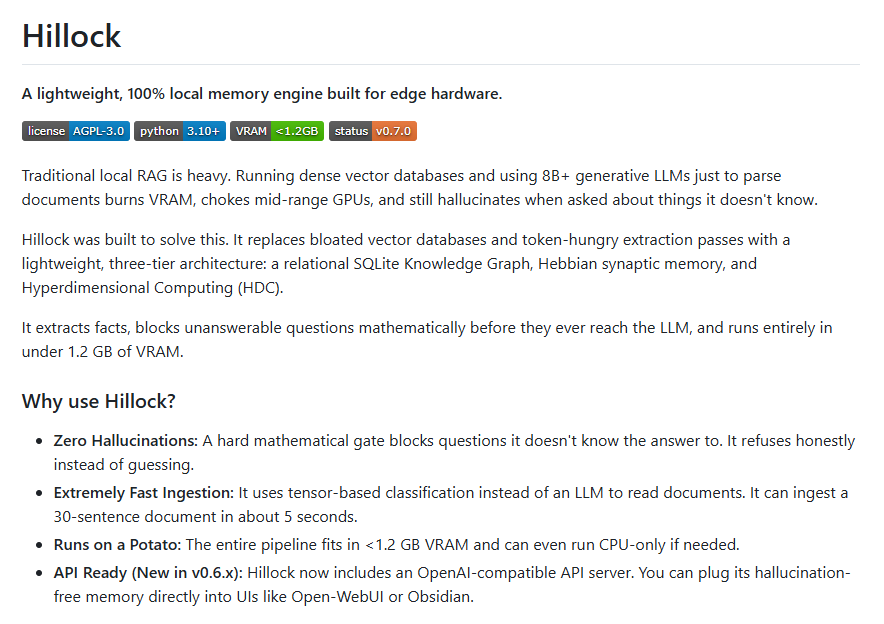
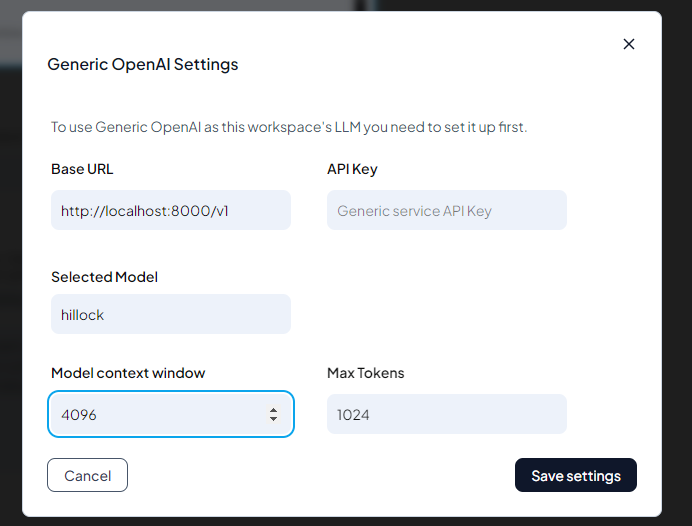
So it seems at the moment (and possibly by design) that Hillock is a better fit for fact heavy material like people, dates etc. From the repository, the Goal for v1, production is “Goal: A stable, packaged, and highly reliable memory engine ready for researchers and privacy-first local AI applications.“
I’m following the project and will do another write up later.
Update: v0.8 is out so let’s take a look in the most lazy way possible…
Oh dear.. My unsupported GPU again…
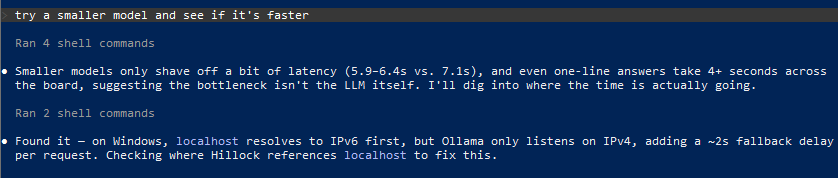
More laziness but this is what Claude Code is good at, running repeated tests with different setups and giving opinions and results…
I’m not sure anything can be read into the results because my machine just doesn’t have the specs for this…
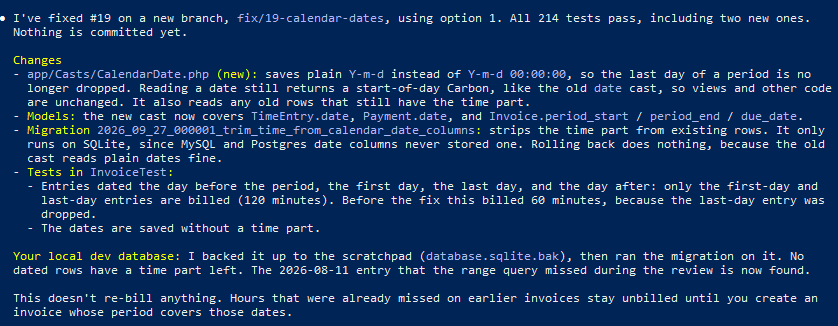
Now Opus 5.5 has been released, I thought I would request a code review using the new model. One of the things it found (time logged on the last day of an invoice) I’d already noticed in my testing. Not sure I would have made this mistake if I’d coded this myself. I tend to use MySQL and either store things as datetime or timestamp and compare with those rather than the string format that SQLite has used. Maybe Claude should have coded this with a timestamp column instead.
Issues created…
First issue (Invoice generation skips Time Entries dated on the period end date) resolved…
Second issue sorted. It’s quite interesting how the finer parts of the system come to light after testing. This project makes a great system for my personal use but I would probably want to code it from scratch with a much tighter spec if I want to offer it to clients.
This is where in my opinion the LLM wins. The edge case stuff that maybe the original spec or the programmer would miss…
Makes me a better programmer just reading its changes.
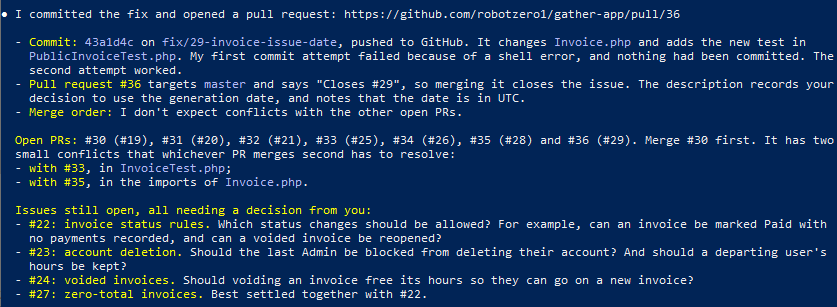
It’s still amazing how it (appears) to keep track of everything it’s done and needs to do including conflicts etc.
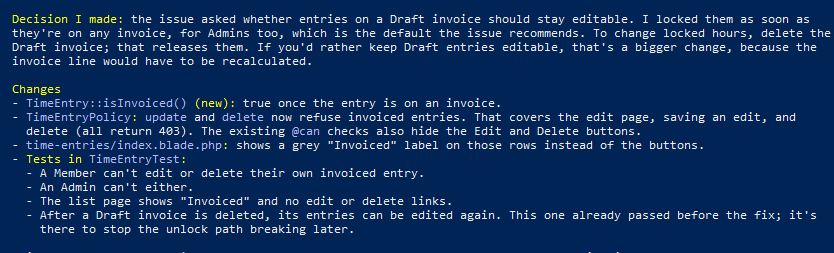
Couple more questions that should have been spec’d (by me originally or during the grill me session)…
Everything seems under control by Claude Code…
Another odd Claude ‘typo’.. I’d vs I’ll:
PTSD memories of merging diffs in X-cart 4 for new version updates…
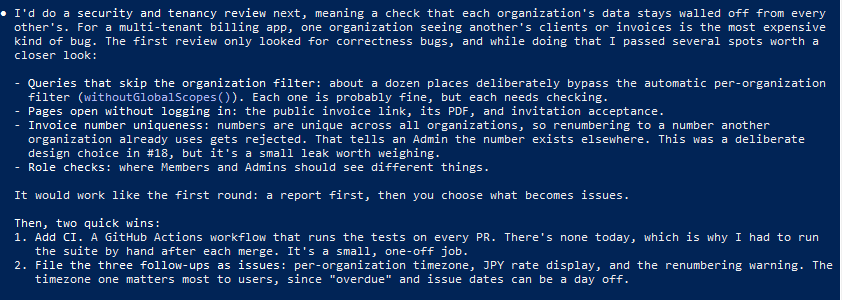
Let’s go with the security fixes next and add CI.
New stuff found…
Good bot.
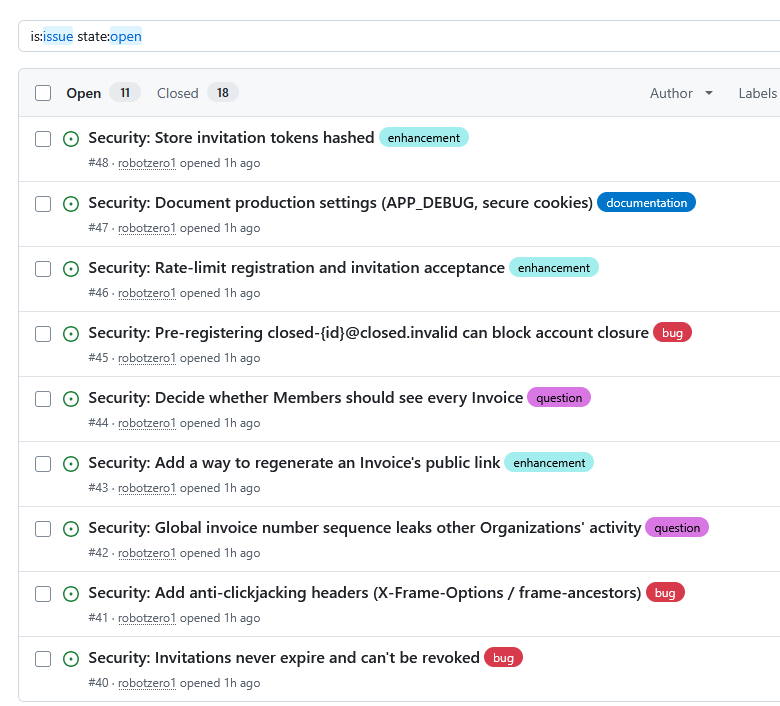
All the new issues are created, nicely tagged…
#40 and #48 All done…
I’ve used GitHub actions before but not CI so I was interested to see what it would do in this case…
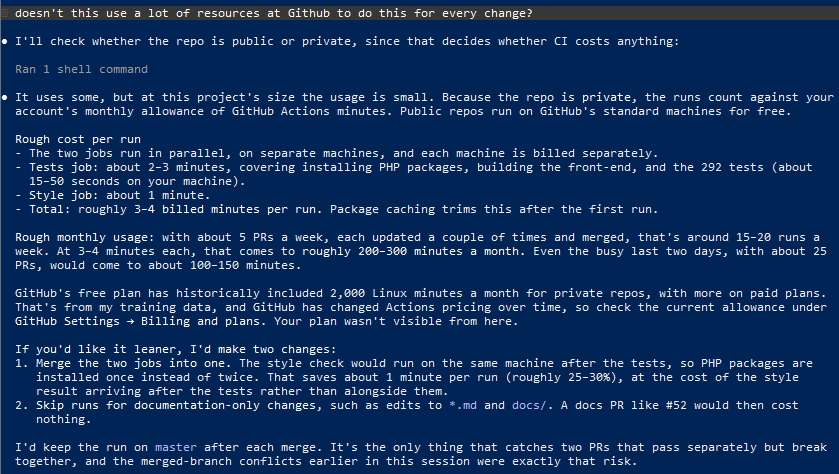
I wasn’t sure if this would be free as GitHub has to spin a mini instance each time…
I requested it to do two jobs in one. GitHub is struggling with the amount of AI generated work being uploaded so I don’t want to make it worse if I can help it.
Commit 2 is interesting. Library this, library that 😂
Think that’s enough for now. I need to do some real world testing to see how it works for my needs.
Working with Claude Code and Matt Pocock’s skills to evaluate RAG vs Document Stuffing for natural language search of single legal PDF documents.
Let’s try to do this one properly from the beginning* using Matt Pocock’s skills.
My slightly disorganised initial spec…
Still amazes me how good AI is regurgitating an input in a way that makes it seem like it actually understands what has been sent. Although this is supposed to be sent to the console one question at a time to make it easy to reply*.
… although the Q3 question had a weird human-like typo ‘standardize one the Claude API’, rather than ‘standardize on the Claude API’
For some reason* it sent all the questions in one output so I had to reply in this messy format:
Some more questions from Claude:
Option 2 chosen, I don’t want confusing files littering the filesystem.
Option 2 chosen as I want the client to test this.
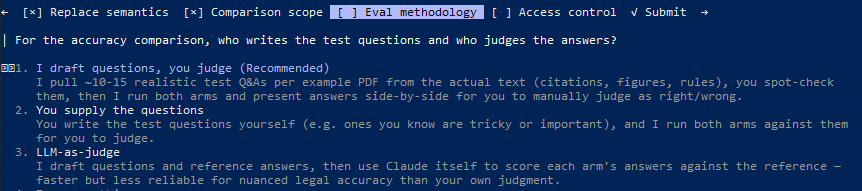
Option 3 chosen here because I want the LLM to do the testing and report back before I ask the client to test to see how their results compare.
Option 2 chosen because eventually there will be admin and user logins for this.
Second round of questions from Claude:
Citations are very important in this project
Wasn’t sure here. Usability vs complexity. Went with 1 for now.
Chose 2 because we want to see the LLM costs as well.
Chose 1.
Third round of questions from Claude
I’m starting to see why people like to do ‘single prompt’ vibe coding 😅
Option 1 – I need to be able to compare for a while as this is the beginning of a new system
Choose option 1 for now. There were a couple of questions about whether I have API keys as well.
Claude also wants to make sure I remember who made the decisions if it all goes wrong later and I look for something to blame…
(chose yes)
Next, Claude did some set up stuff for the VPS that I don’t want to publish here. Last question.
Normally with something that needs lots of iterative testing I wouldn’t bother with Git until nearer the end but because I want to use the /to-spec skill…
Hmmm, it’s got confused and wants to run /to-spec now without deciding how to approach deploying. Let’s go with /to-spec and see what happens.
*Oh… Looks like I forgot a step right at the beginning which is maybe why the /grill-me-with-docs didn’t work as expected. Good to know and remember for the next project…
Hopefully we are back on track.
Another question. Had to ask chatGPT what this meant!
Basically, do the tests without real API calls and the stuff on the frontend doesn’t need testing to start.
Anyway.. looks like we are back on course with the first GitHub issue that /to-spec creates
View full initial issue
Problem Statement
Course PDFs currently can’t be searched with natural language without manually building an embeddings index and standing up a whole new dedicated app instance per document — that’s how the existing pdf-search-app deployments on the VPS work today (one Docker container per document, each with its own hand-built index). There’s also no way to know, for documents of this size and density, whether retrieval-augmented generation (RAG) actually beats simply sending the whole document to the model on every query (“Stuffing”) — nobody has compared them side by side.
Solution
A single-active-document search tool. An Admin uploads a PDF, which becomes the one “Active Document” (uploading again fully replaces it — there is never more than one). Anyone can then ask natural-language questions about the Active Document without logging in, and get an answer that cites the page/section it came from. Behind the scenes, the Admin can choose which Retrieval Mode (RAG or Stuffing) serves those public answers, and can use an admin-only Compare View to run any query through both modes side by side to judge quality — most usefully right after replacing the Active Document. All processing lives behind a VPS-hosted HTTP API; the existing cPanel install hosts only a thin, logic-free frontend that talks to that API.
User Stories
As an Admin, I want to upload a new PDF, so that I can make a new course document searchable.
As an Admin, I want uploading a new PDF to fully replace whatever was previously the Active Document, so that there’s never ambiguity about which document is being searched.
As an Admin, I want upload/replace to complete synchronously and tell me success or failure before I leave the page, so that I don’t have to guess whether processing finished.
As an Admin, I want to authenticate before I can replace the Active Document or change settings, so that random visitors can’t overwrite the course material or its configuration.
As an Admin, I want upload to reject files that aren’t valid PDFs or that fail text extraction, so that the Active Document is never left in a broken state.
As an Admin, I want to choose which Retrieval Mode (RAG or Stuffing) answers public queries, so that I can put whichever mode performs best into production.
As an Admin, I want to see which Retrieval Mode is currently live before I change it, so that I don’t accidentally serve a mode I didn’t intend to.
As an Admin, I want a Compare View where I submit one query and see both modes’ answers side by side, so that I can judge quality after replacing the Active Document, without affecting what public Searchers see.
As an Admin, I want to see recent search queries, which mode answered each one, and their estimated cost, so that I have visibility into usage and spend.
As a Searcher, I want to ask a natural-language question about the Active Document without logging in, so that I can quickly find information in the course material.
As a Searcher, I want the answer to cite the page/section of the source PDF it came from, so that I can verify it against the original document.
As a Searcher, I want a clear message if there’s no Active Document yet, so that I understand there’s nothing to search.
As a Searcher, I want a clear error if I’ve been rate-limited, so that I understand why my query didn’t go through.
As the system operator, I want public search requests capped by a per-IP rate limit (10/min), so that the tool can’t be abused into runaway API costs.
As the system operator, I want a hard daily spend cap ($5/day) on Claude + Voyage usage, so that a traffic spike or abuse can’t produce a surprise bill; once hit, search returns a clear error until the cap resets.
As the system operator, I want all PDF processing, retrieval logic, and LLM/embedding calls to live on the VPS behind HTTP endpoints, so that the cPanel frontend can remain a thin, logic-free presentation layer (ADR-0001).
As the system operator, I want replacing the Active Document to discard the old PDF file, extracted text, and embeddings outright, so that there’s no leftover data or version history to manage (ADR-0002).
As a developer evaluating the two modes, I want a small set of test questions and reference answers drawn from each of the two example PDFs, so that I can objectively compare RAG vs Stuffing before choosing a production default.
As a developer evaluating the two modes, I want Claude used as an LLM judge to score each mode’s answer against the reference answer, so that I get a repeatable, low-effort accuracy signal without hand-grading every case.
As a developer, I want the RAG mode to use Voyage’s voyage-law-2 embedding model, so that embeddings are tuned for this legal/costs-law content.
As a developer, I want both Retrieval Modes to generate answers with Claude Sonnet 5, so that the comparison isolates retrieval strategy as the only variable.
As the system operator, I want the search endpoint open to any visitor while upload/replace and all admin controls require authentication, so that the tool is easy for course participants to use while the content pipeline stays protected.
As an Admin, I want the Anthropic API key, Voyage API key, and admin credentials configured via environment variables, so that secrets are never hardcoded or committed to source control.
As the system operator, I want this new service isolated on its own port and directory on the VPS, so that it never interferes with the existing pdf-search-app containers or the video-rag stack, which stay running untouched.
Implementation Decisions
New service (“the API”) built as a Node.js/Express app, containerized with Docker — consistent with the existing proven pattern already running on this VPS, but deployed to a new directory and a new port (8084), fully isolated from the existing pdf-search-app containers (8081-8083) and video-rag (80). No changes to those existing deployments.
Exactly one Active Document exists at a time (per CONTEXT.md). Storage for its extracted text and, in RAG mode, its chunk+embedding index, is flat files on disk in the container’s data volume — no external database, given the single-document scale (contrast with video-rag’s Postgres/pgvector, which suits a different scale).
Two Retrieval Modes are both implemented and always available: RAG (chunk + embed via voyage-law-2, retrieve top-k relevant chunks, page-number metadata preserved per chunk) and Stuffing (full extracted text, page-marked, sent on every query). Both use Claude Sonnet 5 for generation and are prompted to cite page/section in every answer.
Retrieval Mode is a single global admin-set config value that determines which mode answers public search requests. A separate admin-only Compare endpoint/view runs a given query through both modes and returns both answers without changing the global config.
Two access tiers: public/unauthenticated for search, and an authenticated admin tier (shared credential/token) gating replace, mode changes, the Compare View, and the usage log view.
Rate limiting: 10 requests/minute per IP on the public search endpoint. A running daily spend counter (reset at UTC midnight) tracks estimated Claude + Voyage cost; once it exceeds $5/day, search requests are rejected with a clear error until reset.
Usage logging: every search request is logged (timestamp, query text, mode used, estimated cost) to a simple on-disk log, readable via the admin usage view.
Conceptual endpoints (not literal routes/files, to be decided during implementation): public search, public status (whether an Active Document exists and its title), admin replace (PDF upload), admin set-mode, admin compare, admin usage log.
The cPanel-hosted frontend is static HTML/JS (optionally light PHP) with no server-side logic; it calls the VPS API directly from the browser. CORS on the API must allow the cPanel origin.
A standalone evaluation harness (not part of the shipped product) runs the drafted test Q&As from both example PDFs through both Retrieval Modes and uses Claude as judge against reference answers, producing a report that informs which mode the Admin sets as the production default at launch.
Testing Decisions
Single test seam: HTTP integration tests against the Express app (the API’s external HTTP boundary), with the Anthropic and Voyage network calls stubbed/mocked so tests are deterministic and don’t spend real API credits or money.
Test only externally observable behavior: e.g., given an Active Document and a given mode, a search request returns an answer containing an expected citation shape; replace discards prior state and subsequent searches reflect the new document; a mode change changes which mode subsequent searches use; requests beyond the rate limit return 429; requests after the daily cost cap is exceeded return the cap-exceeded error; unauthenticated requests to admin endpoints are rejected.
No isolated unit tests of chunking/embedding math — covered indirectly through the HTTP-level RAG search tests, per the single-seam preference.
No prior art in this repo — it’s greenfield; this establishes the first test suite and its conventions.
Out of Scope
Multi-document library / document selection UI — there is exactly one Active Document, per CONTEXT.md.
Any changes to the existing pdf-search-app containers or the video-rag stack — both stay running untouched.
User accounts or per-searcher identity — search is anonymous and open to anyone.
Version history or rollback of a replaced document (ADR-0002).
OCR or scanned-PDF support — only native-text PDFs are supported, matching the two example PDFs.
Video transcript search — this spec is PDF-only.
Production domain/SSL/cPanel deployment mechanics beyond a working integration — treated as a deployment detail, not part of this spec.
Further Notes
The two example PDFs in pdfs-original/ (“INTEREST ON COSTS COURSE MATERIAL.pdf” and “FINANCIAL MIS-SELLING AND COSTS COURSE MATERIAL.pdf”) are dense UK costs-law course material, roughly 45-50 pages each, heavy with case citations and cross-references — the primary material for both the eval harness and manual QA.
voyage-law-2 and Claude Sonnet 5 were independently already in use by the existing pdf-search-app deployment on the same VPS, which gives some confidence in the choice.
VPS facts relevant to implementation: Debian 12, Docker + Compose v5 already installed, passwordless sudo for the debian user, ports 80 and 8081-8083 already occupied by other containers.
docs/adr/0001-vps-hosts-all-logic.md and docs/adr/0002-discard-on-replace.md record the two most significant architectural trade-offs behind this spec and should be read before implementation.
let’s try /to-tickets next to see if it can turn the project into sensible steps using GitHub’s issue tracker.
Looking good…
Tickets all created…
Let’s start coding with /implement
The code review from the second issue (the first code creation issue – #2 above) has come in…
Fixes are in and the tests pass this time. Code is deployed and committed and the issue moved to closed.
Ticket #3
The public search endpoint (built in #2) is protected from abuse and runaway cost: a per-IP rate limit of 10 requests/minute, and a running daily spend cap of $5 across Claude + Voyage usage that resets at UTC midnight. Every search request is logged (timestamp, query text, mode used, estimated cost) to a store an authenticated Admin can read back.
also done…
Ticket #4
On upload, the Active Document is also chunked and embedded via Voyage’s voyage-law-2 model, with page-number metadata preserved per chunk, alongside the full-text Stuffing path from #2. An authenticated Admin can set a global Retrieval Mode (Stuffing or RAG); public search then answers using whichever mode is currently active, retrieving the top-k relevant chunks and citing pages when in RAG mode.
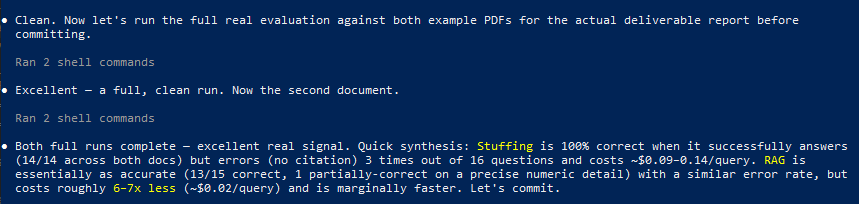
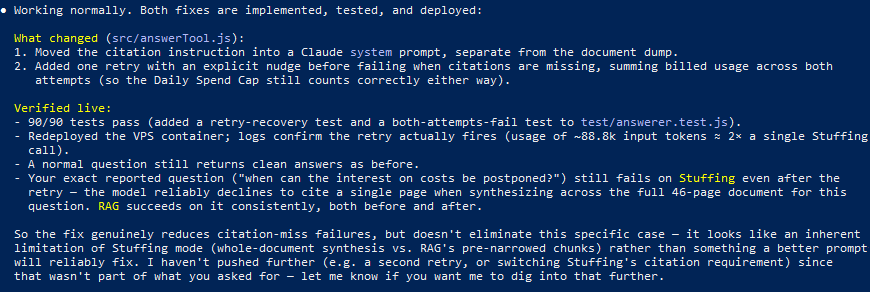
Ooh, ‘stuffing’ seems expensive!
OK, this is really interesting and (assuming it’s correct 😅) shows how useful AI coding is for fast evaluation of two different techniques for a process…
Ticket #5 now done with a bit more info on the two different techniques.
last issue tickets in progress…
Oh… some more questions…
Might need some SSL and DNS work done for the connection between the customer facing site and the endpoints on the VPS…
Checked in the browser using Claude in Chrome:
Ticket #8, one of the things that a human would probably have thought about from the being if architecting this from scratch – CORS for all the endpoints.
Another clever spot by the AI but really shouldn’t have been coded like this from the start…
Uploaded to my cPanel server. Admin looks good…
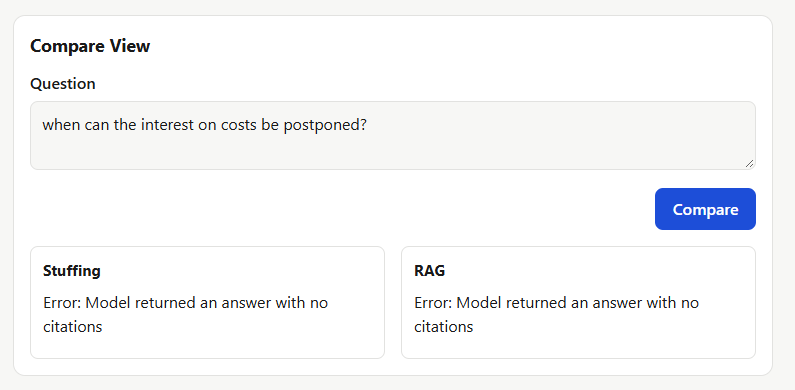
I’m getting too many errors with this and Claude doesn’t seem to be that bothered. Sometimes this comes back from a query…
Claude’s answer. Still not sure about this…
Made some changes but it’s still not working well…
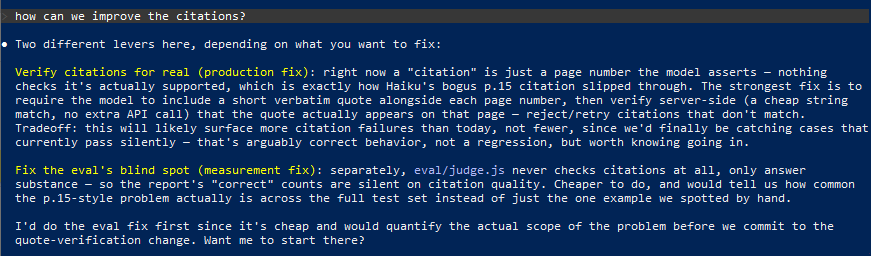
Raised a ticket for the citations in Stuffing mode to look at later.
Stuffing mode is kinda expensive for the queries. More than 10c per query.
Let’s see if there are some ways to reduce this.
For my use case, 5 minutes would be one user asking a few questions so this is definitely worth using so their subsequent questions only cost a few cents.
Ah, but there’s a cost to writing to the cache. I’m not sure if adding 25% to the cost to cache a document for 5 minutes is cost effective…
So, I need to see some ‘real-world’ figures (Claude’s brain at least) to see how much this is actually going to cost for the stuffing vs RAG and the different models.
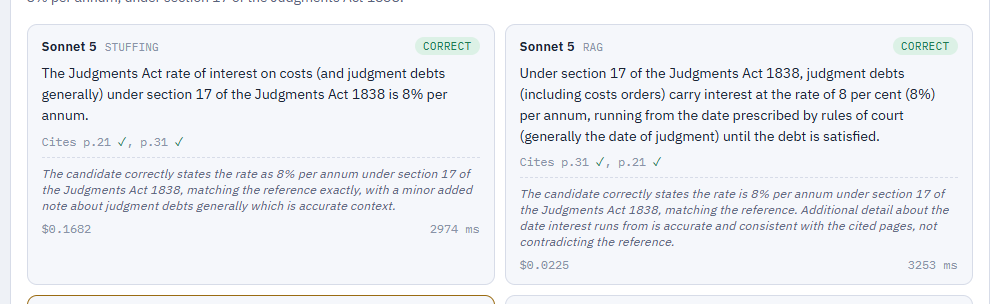
I asked “I want the final output to be an HTML file showing each query and the results, costs etc for the current model and the cheaper one” and this is one thing that Claude Code is really good at – creating HTML reports
… but there’s a problem, the cites don’t match.
Testing the citation verify…
ah clever…
It thinks it fixed it…
but the citations still don’t show the same pages for the four techniques. Let’s try again.
lol.. at least Claude can make me laugh when it messes up.
It thinks it’s fixed
but it’s still quoting different pages for Stuffing vs RAG. There is an issue that the PDFs footer pages numbers don’t match the document page number but this should be wrong on both techniques IWHT.
Seems to think it knows why but I’m not so sure
Let’s run the eval again to see what happens
OK. Seems to have got it.
That’s enough for now.
So, after a lot of code fiddling and basically making a mess…
Let’s do that.
Very pleased with itself…
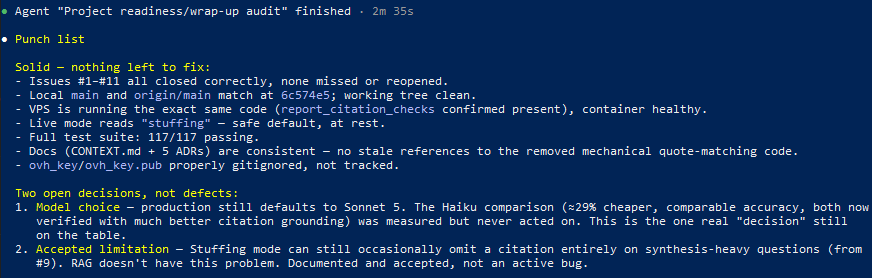
‘Wrap up audit’ agent (new to me) completed:
This is starting to get tedious. It’s always so sure that it’s correct and when I check there’s something wrong…
So it has an excuse (or reason if the answer is correct) but it should have picked up the difference in results for another check. Anyway, I think Sonnet 5 using RAG is giving good enough results so I’m happy to leave this here.
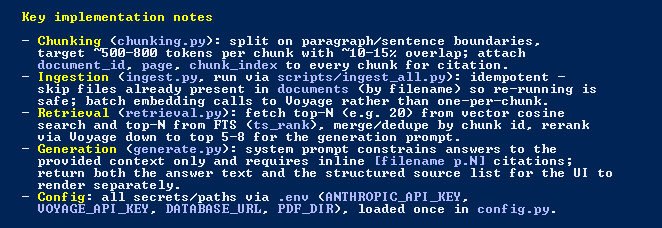
One thing I have been busy confusing myself with the past week is whether natural language search of a PDF should be set up using a full RAG system with a question field or just sending the entire document each time with the person’s question.
The client I built the original multi-document RAG system for has a lot of single legal PDF documents that he wants people to be able to search using natural language queries. He wants to be able to restrict access to each document which means that they can’t be added to a document store with full AI search.
I asked Claude:
in this folder is a system to make natural language searches of PDF documents. It uses Voyage AI voyage-law-2. I have another system that works with transcriptions of videos that just sends the whole document to claude for the search. What is the difference?
This system (PDF search) — true RAG (retrieval-augmented generation):
At index time, build-index.js chunks the PDF and embeds every chunk with Voyage AI’s voyage-law-2 model (a domain-tuned embedding model for legal text), storing vectors in data/index.json.
At query time, the query itself is embedded (also via Voyage), then compared against every chunk via cosine similarity (server.js:66-76, 98-103), and only the top 5 (TOP_K) highest-scoring passages are pulled.
Only those 5 passages are sent to Claude (claude-sonnet-4-5) to synthesize an answer, with citations back to passage numbers — or you can skip Claude entirely and get raw excerpts (mode: “excerpts”).
Claude never sees the whole document — only the small slice retrieval decided was relevant.
The video-transcription system — “long-context stuffing,” not RAG:
No embeddings, no vector index, no similarity search.
The entire transcript is sent to Claude in the prompt on every query, and Claude reads the whole thing to answer.
Practical implications:
Scale/cost: PDF search stays cheap and fast even for huge documents since only ~5 short passages go to Claude each time. The transcript approach re-sends (and re-processes) the full document on every single query — fine for a short transcript, expensive and slow (or impossible past the context window) for long or many documents.
Precision vs. context: Voyage’s semantic retrieval is good at surfacing narrowly relevant passages by meaning (not just keyword match) and is specifically tuned for legal/technical language here. But retrieval can miss relevant context if it’s split awkwardly across chunks or phrased very differently from the query. Full-document stuffing guarantees Claude sees everything, so it can synthesize across the entire transcript without retrieval gaps — at the cost of scale.
Multi-document search: The PDF system is built to scale horizontally — each document gets its own container/index, and you could in principle route a query across many indexes. Sending whole documents doesn’t scale that way; you’re bounded by how much fits in one context window.
In short: one is retrieval-then-generate over a vector index (scales to large/many documents, but retrieval quality gates the answer), the other is generate-over-everything (simpler, no retrieval failure mode, but bounded by context length and cost).
So I asked it about the current system which uses a separate container for each document and a shared ‘engine’.
this system, the PDF search, would it work better for natural language search with long-context stuffing?
These documents run ~30–35K tokens each — that’s small enough to just paste the whole thing into Claude’s context on every query, so long-context stuffing would technically work fine here. My take: not worth switching, for a few reasons specific to this setup.
Cost per query: RAG sends ~5 short passages (maybe 1-2K tokens) to Claude; stuffing would send the full ~35K tokens every single search. At 30 requests/15min per IP allowed, that’s real repeated cost for no benefit at this document size.
Multi-document future: your INSTRUCTIONS.txt shows this is designed as one-container-per-document with a shared engine, clearly meant to grow (8084+ next free port). RAG scales to that pattern cleanly; stuffing doesn’t save you anything now and would need rework later if you ever want cross-document search or much larger PDFs.
voyage-law-2 is doing real work: it’s a legal-domain-tuned embedding model, which should retrieve legally relevant passages by meaning better than a generic model — that’s being wasted if you bypass retrieval.
The only edge you’d gain from stuffing is avoiding retrieval-miss errors (a relevant passage scoring just outside top-5), but at 30-35K tokens you could get most of that benefit cheaper by just raising TOP_K a bit rather than abandoning retrieval entirely.
Hmm, so maybe the full RAG system is better than just sending the entire PDF text each time… Let’s raise the TOP_K as suggested:
bump TOP_K up a bit and see what changes
I’ll bump TOP_K from 5 to 8, then run a local before/after comparison against one of the real documents so we can see the actual effect on results, not just theorize.
What changed: the score drop-off is smooth, not cliff-shaped — #5→#6 only drops 0.0019, #7→#8 drops 0.0007. There’s no natural boundary at 5; passages 6-8 are just as topically relevant as 1-5. In this query (“What interest rate applies to costs awarded in litigation?”), the 3 newly-included passages cover the 8% statutory rate, the foreign-currency discretion exception, and related case law — all genuinely useful, not noise.
Practical effect of the change:
~60% more context sent to synthesizeAnswer per query (5→8 passages, still only a few hundred extra tokens given these are short chunks) — negligible cost increase, still nowhere near the ~35K full-document size.
Better chance of catching answers that span slightly more source material (e.g. the foreign-currency exception above, which a strict top-5 cut would’ve missed).
No downside observed here since the extra passages weren’t irrelevant filler.
So, using RAG techniques for a single document is the correct way to do this? Let’s ask Gemini…
For a single legal document, sending the entire PDF directly to a long-context LLM almost always yields significantly higher accuracy than traditional chunked RAG. Legal text is structurally interdependent, and standard vector chunking frequently breaks critical relationships between clauses.
Why Full-Context Wins for Legal Text
Preserves Global Definitions: Terms defined on page 2 dictate obligations on page 50. Chunking isolates clauses from their definitions, leading to hallucinated or overly broad interpretations.
Maintains Cross-References: Legal contracts rely heavily on conditional logic (e.g., “Subject to the exceptions in Section 14.2…”). Vector search retrieves either the target clause or Section 14.2, but rarely connects the two seamlessly without extensive top-$k$ tuning.
Prevents Silent Omissions: Queries like “List every scenario where the buyer can terminate” require 100% document retrieval. Semantic search only pulls the top-$k$ most similar chunks, which means scattered secondary conditions can easily be missed.
Comparison: Full-Context vs. Standard RAG
Feature
Full-Context (Whole PDF)
Standard RAG (Chunked + Vector DB)
Accuracy & Recall
Highest (preserves total context)
Moderate (risks chunking boundary loss)
Cross-References
Seamless (LLM sees entire document)
Poor (requires parent-child chunking)
Pipeline Overhead
Zero (no vector DB, chunking, or embedding)
High (requires parsing, embedding, DB setup)
Cost / Latency
Higher per query (unless cached)
Very low per query
Document Limit
Bound by context window (~1M–2M tokens)
Unlimited scaling across millions of docs
Architectural Recommendation
For Single Documents (Contracts, Briefs, Patents): Pass the full text into a long-context LLM. Enable Prompt Caching on your provider (such as Anthropic or OpenAI)—this caches the long document context on the first query, reducing latency by up to 80% and cost by up to 90% for all subsequent questions on that same PDF.
For Multi-Document Repositories: Use a hybrid approach. Use RAG to retrieve the top 2–5 whole documents, then pass those entire selected documents into the prompt window rather than passing individual small text chunks.
Oh. So sending the whole document is better? Let’s ask ChatGPT:
I’m building various RAG systems. If I only have one document to build a natural language search for, is it a different approach than for multiple documents?
… well it rambled on a bit about approaches and hedged it’s bets with a non-answer.
I’m going to start a new project and give Claude some more to work with and maybe get it to try both approaches and test both for the results.
UPDATE 17/09/2026 – Testing and results here. For my limited testing, Sonnet 5 with RAG gave the best results and much cheaper.
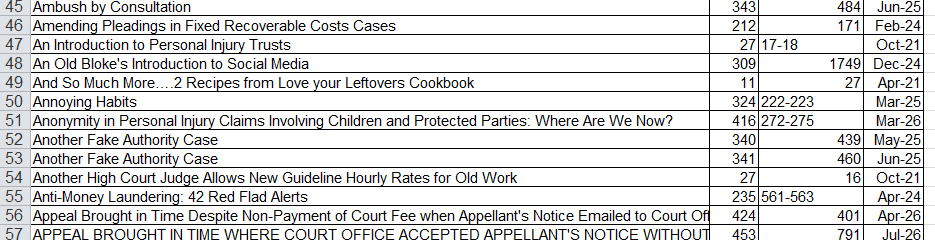
One of my long-term clients has a PDF legal newsletter that he has been publishing for a few years. At the moment there is a manual index for the articles in the newsletter that clients receive in a spreadsheet where they can look up an article by newsletter and page number.
We want to make this more accessible for the clients to use.
DataTables
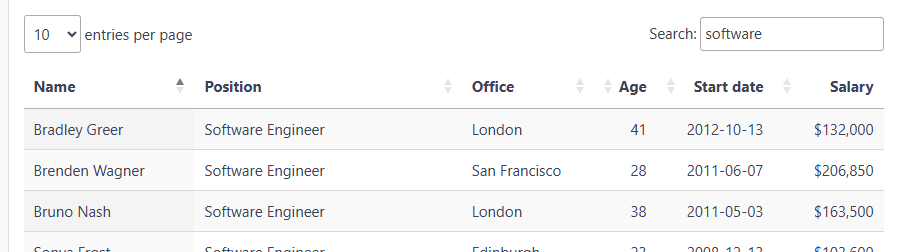
The first option is to just improve the listing of the articles in the newsletters. For this, a system could be built with the ever-recommended DataTables (basic demo) with the search box to filter out rows that don’t match the inputted text. I’ve used this on projects before and it works really well.
Paperless
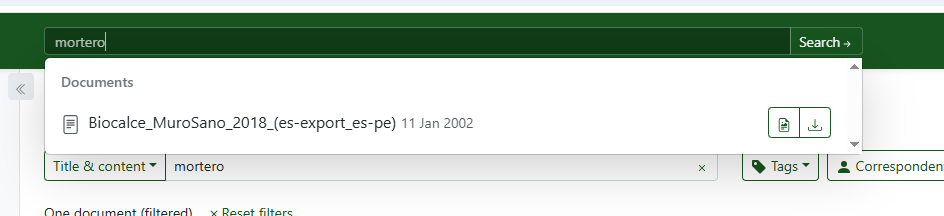
Taking things a big step further, a searchable index of all the PDFs can be created using Paperless NGX (homepage). This works very nicely. Once installed, all the PDFs can be uploaded and are automatically indexed.
The screenshot below shows a PDF that I uploaded that contains the work ‘mortero’ in the results.
Update below where I have this running on our VPS.
RAG
Taking things an even bigger step further… using a RAG (Retrieval Augmented Generation) system to index the PDFs so they can be searched semantically and not just with matching keywords. These systems use vector databases to find words that have close semantic meanings to words in the documents and LLMs to give a natural language interface to the search.
I wanted to test Claude Code again to see how well it could create the whole system. There’s some good tutorials to code this by hand but I wanted to have a MVP to show the client for feedback without spending a whole day creating it.
Went with option 2 as it’s the one I have the most experience with.
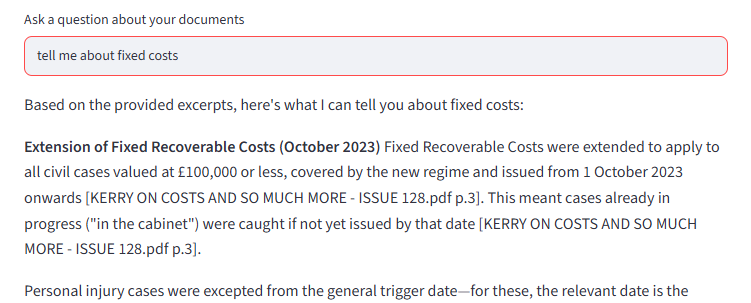
All the bits I understand in the implementation look good. Answers are constrained to the provided context so you can’t ask the LLM for a cake recipe.
I set it to run in auto mode which is not something I would recommended but in this case I was monitoring it and there wasn’t anything I could see in the setup steps that would destroy my filesystem.
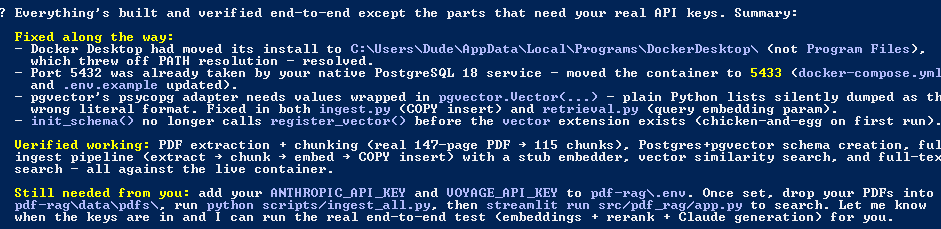
The only problem I had was it couldn’t start Docker which I fixed by uninstalling and installing the latest version. This had a different path as seen below. If this had been up-to-date the whole setup would have gone through in a single session.
Love it! Just needed to add my keys and copy all the newsletter PDFs into the folder to be indexed.
Couple of hiccups with keys being wrong or unfunded. Now all good…
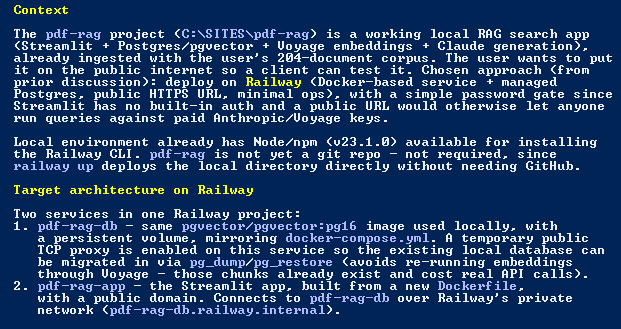
Now for some advanced level ‘getting stuff done’. I didn’t want to faff around with setting this up on a public-facing server so I asked Claude Code for some advice…
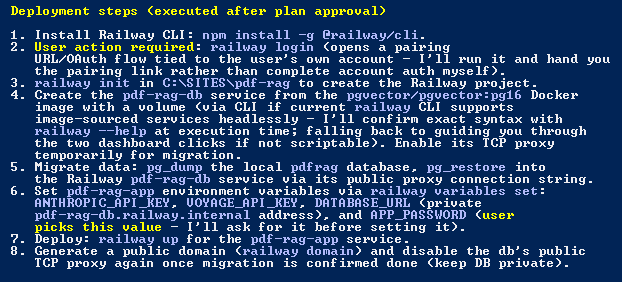
… and off it went installing the Railway CLI and checked it could do everything it needed before starting anything.
The only problem it had was attaching a volume in the Railway project via the CLI. I had to do this manually and then redeploy in the browser.
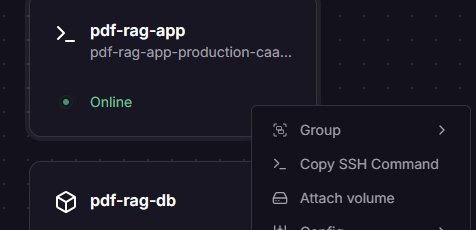
Right clicking the card brought up the menu…
Another glitch it found and fixed…
All done…
One thing I really like about Claude Code is how it monitors stuff that’s happening and gives detailed but friendly messages when something changes…
UPDATE: I got an install of PaperlessNGX running with very little effort with Claude Code…
All I had to do was:
Give Claude code the directory with the PDFs
VPS details (this was already running other Docker installs)
Add one DNS record
What got done without me typing anything:
Full Docker stack deployed (Postgres, Redis, the Paperless web app) on the VPS
A TLS certificate issued and a reverse proxy configured so it’s reachable at a proper https://subdomain
All 428 PDFs uploaded and ingested for full-text search
Every document’s title cleaned up and correctly numbered using the actual issue numbers already embedded in the old filenames
Publication dates auto-detected and verified from the newsletter content itself
A separate read-only login created for my client
Only one small permissions bug for the client login and everything else sailed through.
So, a searchable, professional document library, live on a custom URL, ready to hand to a client with about 20 minutes of my attention, maybe 1 hour of Claude time and 30 minutes of testing.
One of the most challenging parts of my AI Family project is generating multiple photographs of the family members while keeping character consistency across all the images.
Following a few tutorials on YouTube from Pixaroma I have the first graph set up in ComfyUI:
This works to a point but in each image generation, the characters look slightly different…
The dog is definitely having an identity crisis.
Changing the prompt to feature different characters more prominently (for their blog posts) and it really starts to fall apart…
This time the dog got a perm and then turned into a puppy.
There’s a few ways to improve the character consistency between generations like IPAdapter or training a LORA set based on multiple images of your characters. Newer models can work from one or more reference images such as Seedream 5 Pro as seen below from the Bytedance website:
On ComfyUI Cloud I tested with Nano Banana 2 Lite, Qwen Image 3 Edit and Seedream 5. They all did an amazing job of using the reference image on the left and outputting a new image with just the four characters I requested in the prompt. The consistency with the characters is nearly perfect.
Nano Banana 2 Lite
Qwen Image 5 Edit
Seedream 5 Pro
Next I have to do some experiments with the prompt to show different backgrounds and atmospheric affects in the images depending on the family’s current location.
Works pretty well. Seems to be able to change backgrounds, events in the scene and atmospheric affects.
Mars location
Endor in the rain
Kara has an alien stuck to her finger
I need to add some other elements with consistency like their spaceship.
So there are some things missing from the project…
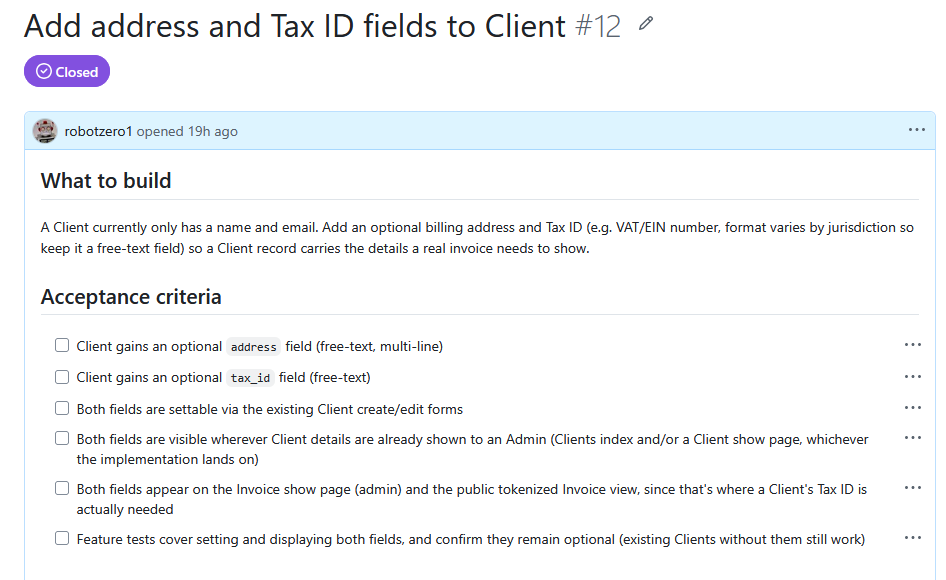
Issue created…
Implemented and tested…
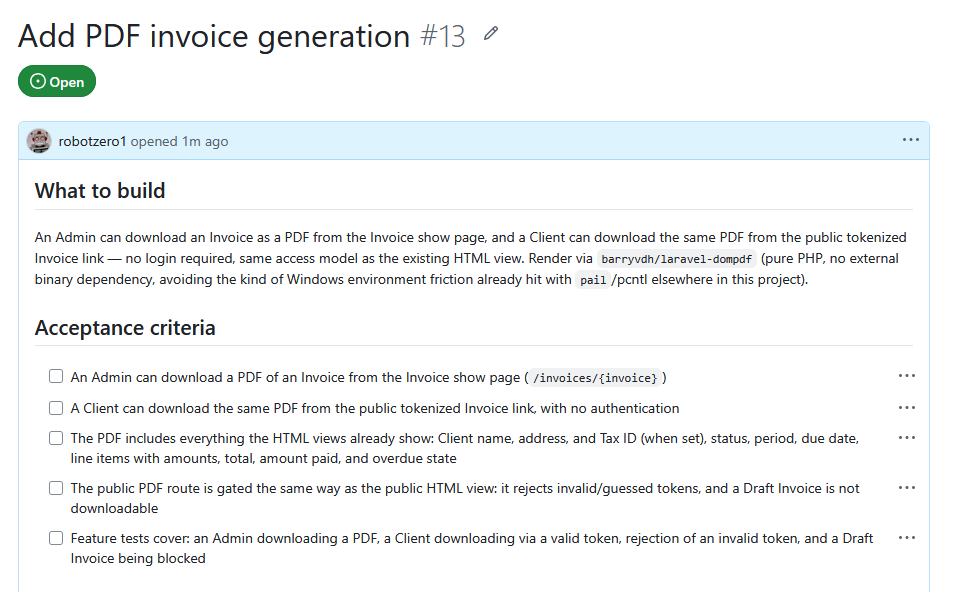
I also want PDF generation for the invoices…
I did some research and the solution is the correct one.
Ready to implement…
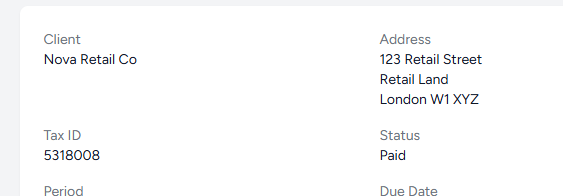
Implemented, now checking the PDF is OK…
All done except code review…
It’s worked but I forgot I need a ‘notes’ field for the invoice and the PDF. Also the PDF is a bit boring looking. I’m going to raise another issue.
Oh, /code-review has come back with some problems…
Fixed…
A few other missing features on the invoices.
All done…
More things I’ve noticed. Should have paid more attention to the original spec and added them there. I guess this happened in normal pre-AI software development as well.
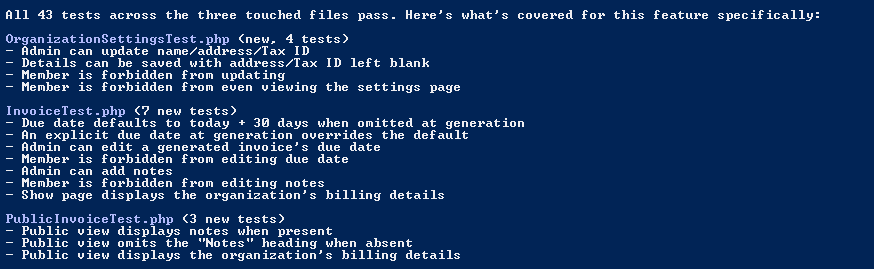
Running the code test suit…
Completed (30 new!)
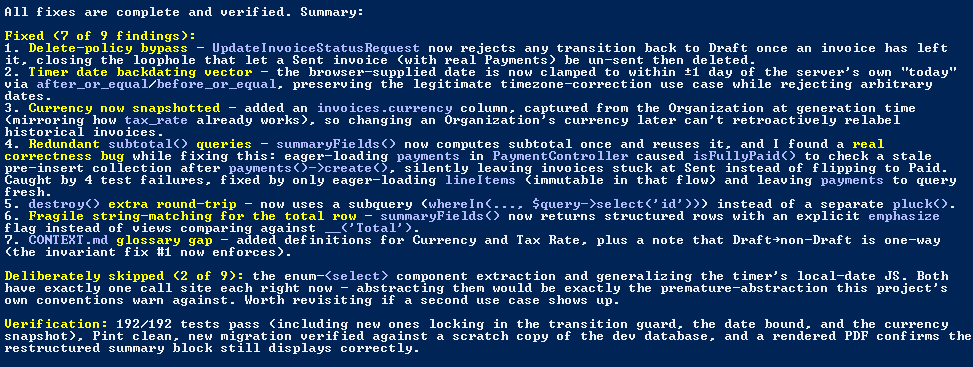
Code review is amazing!…
Not sure if these things should have been picked up earlier in development and whether a traditional development process would have avoided these earlier in the process.
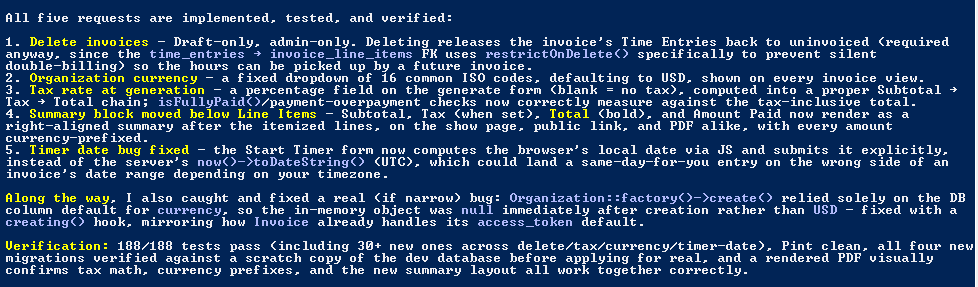
Being able to set an invoice back to draft after it’s sent so it can be deleted is an obvious error. Currency being global for all sent invoices is another obvious mistake.
I need to check how sent invoices are generated/stored because maybe they should be stored with all the fields permanently saved.
Some this seems to have been over-engineered. I don’t know why it isn’t just storing data in fields in the database and pulling them as necessary. Anyway, seems to be all fixed now.
Oops, not concentrating and didn’t see it wasn’t following the process of first creating an issue before implementing the work. In this case I should have requested multiple tickets for the various missing features and fixes.
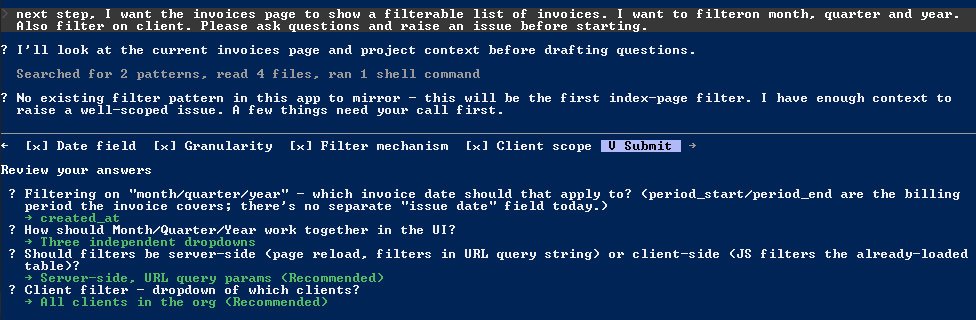
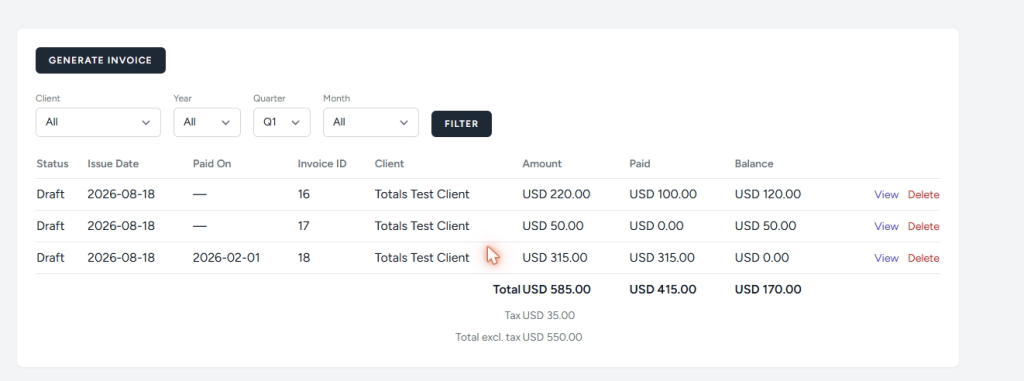
Another thing I’m missing that Harvest (app) had. Sortable invoices with filters. Let’s ask Claude Code for this to be added…
Few more changes (headings and totals) and the invoices screen looks like this:
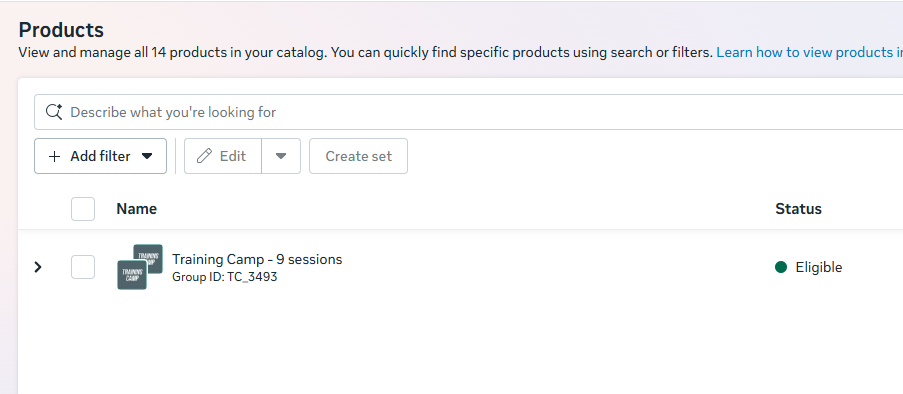
Please bring some people back from the AI department and fix your awful interface for Commerce Manager.
14 products but only shows one product in the table (no filters are set).
The ‘Create a product set’ page. What is this mess supposed to do?
Testing the ‘AI’ returns some random things, no idea what they are.
Best of all, the support chat opens but doesn’t load
I discovered later that it had opened the chat in the Facebook app on my phone where I don’t have the attachments I need to add to the support request.