

Making a complete system for a client to upload PDFs and having a natural language search built for each one using Sonnet 5 and RAG.
As in my other recent projects, I’m going to use Matt Pocock’s Skills.
Very important.. start with /setup-matt-pocock-skills to create the environment (Issue Tracker, Agents file etc)
The previous project to this turned into more of an evaluation of the different techniques for natural language search. I wanted to use what had been learnt in that project so I asked Claude Code to make a document that could be used for this project.
Here’s Claude’s instructions from the previous session:
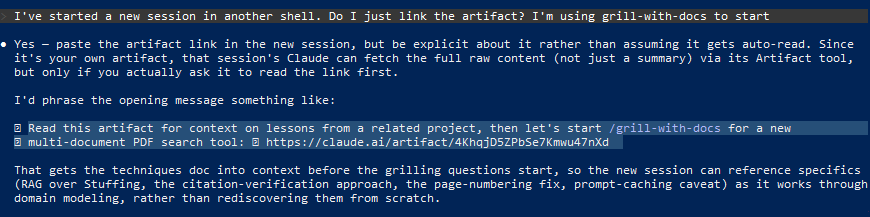
I’ve pasted the highlighted line into the new session and Claude has (hopefully) ingested what we need to start with the
/grill-with-docs
Round 1 questions…
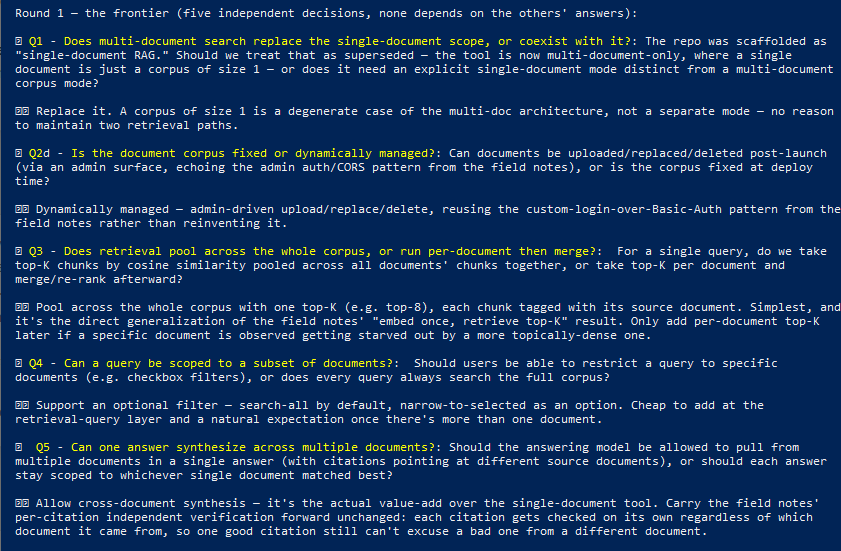
Looks like it wants to build a multi-document system but my use case is one search for one PDF. I’ll try to clear it up with the next prompt:
All of the PDFs should be treated as individual corpus so it is a single-document rag. Each PDF lives in it’s own
space. The final system will be one page per PDF on the client facing site. Please ask more questions.
So many questions!…

My choices: Q6 slug, Q7 minimal, Q8 no directory, Q9 public, Q10 all three I’m going to build the client facing code around what Claude creates so some of this I just need the basic fetching from the endpoints on the VPS.
Next set of questions:
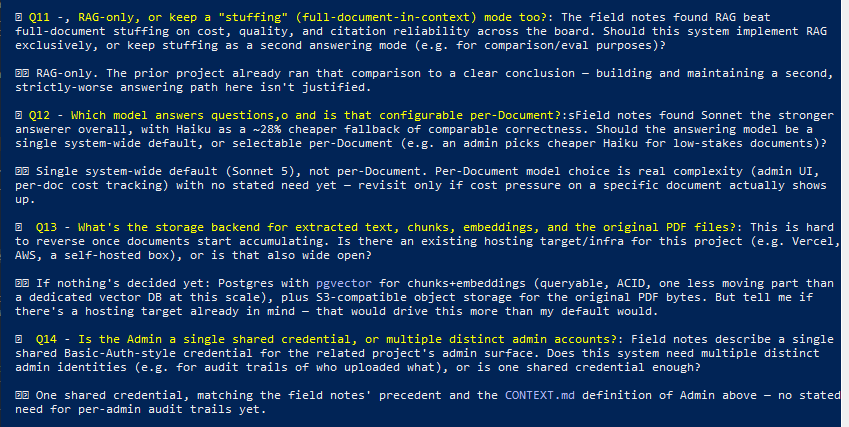
My choices: Q11 RAG-only, Q12 Sonnet default, Q13 ask me again as I have more detail on this, Q14 single credential
I checked the other session for the Q13 question and it’s much simpler than this session’s Q13 suggestion
Round 4 questions…
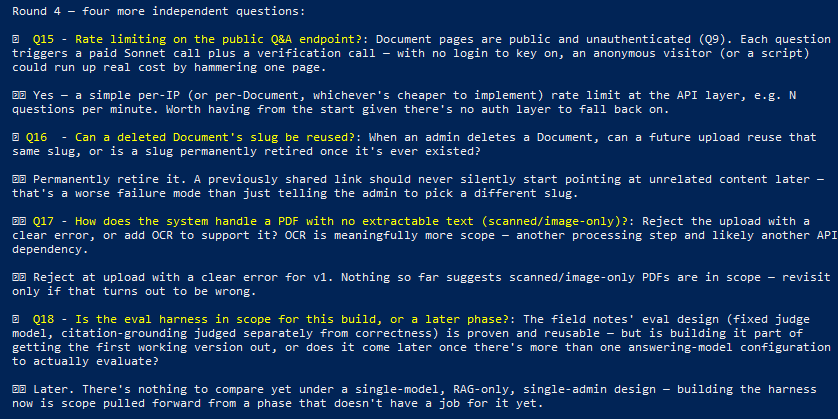
My choices: Q15 yes, Q16 permanently retire, Q17 reject at upload, Q18 later
From the previous session, I got this to tell Claude in the new session:
- Storage backend: a single JSON file on local disk (data/active-document.json), written atomically (write-to-temp, then rename). No Postgres, no vector DB, no S3.
- What’s in that JSON file: extracted page text, full text, and RAG chunks — each chunk carries its embedding as a plain JSON array of floats, stored inline right next to the chunk text.
- Original PDF bytes are not stored at all. The upload is extracted in-memory (multer’s memoryStorage) and the raw buffer is discarded immediately after extraction — only the derived text/chunks/embeddings survive (see ADR-0002: Replace discards whatever was active before, no history kept).
- Hosting: a single OVH VPS, one Docker container, with data/ bind-mounted for persistence across restarts. No Vercel/AWS/cloud object storage anywhere in the stack.
Uh-oh, we have some confusion. I should have edited the response above before giving to the LLM.
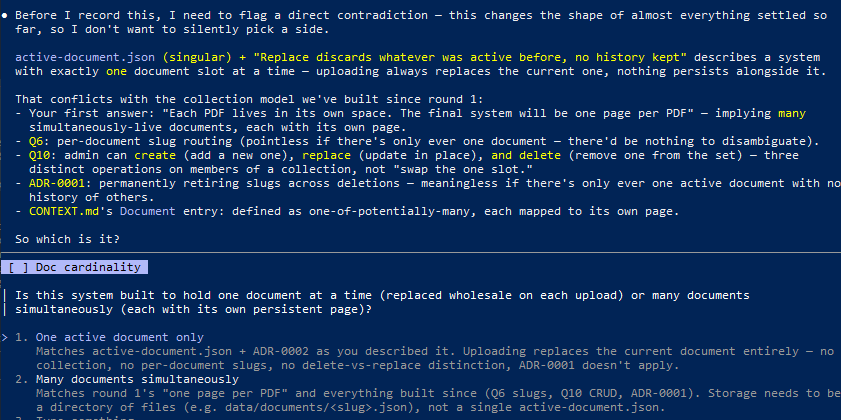
So we had the first option in the previous evaluation project but now we are doing option 2.
Another question about logging, that didn’t seem like it needed to be asked, and questions are over.
Here’s the full design…

Not sure it knows that it has to do the second test with Haiku for the citations matching in the text but I can show it later from the other session.
Let’s run /to-spec
Choosing the test seam (chose 1)

Spec created (the first issue ‘ticket’ at GitHub)

Claude is already ahead of me here…

Here’s Claude’s suggestions…

This is one thing that always impresses me – how good this system is at ‘reasoning’ when it comes to creating the issues in GitHub.
All the tickets (issues) are ready…

Let’s start the coding with /implement
First ticket (#2) completed:

Ticket #3..

path traversal? Oops.
Onto #4

So it knows it has to do the citation verification with Haiku.
Claude loves coding those path traversal security holes…

Wot?!…

I guess I should have watched it a bit more closely as well. How weird to mess up the ticket numbers.
All the tickets were completed and the application tested locally.
Now setting up the server and Claude again is so good at reading what’s already installed on the server and trying various things via OVH API keys for setting up a subdomain. Eventually discovering it’s not possible but this is just how it is with the VPS.
Decided to leave things for another day…
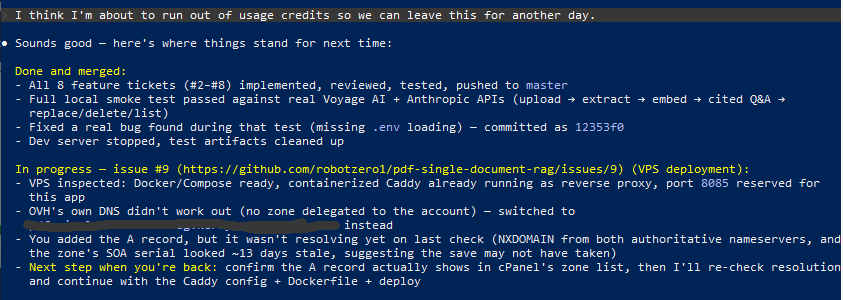
Another day arrives and the DNS record has propagated we are ready to set everything up on the VPS.

I wanted to check where we are because there’s no client interface and I wanted to make sure this was still in Claude’s plans.

Suggested ticket to create the client interface looks good:

All completed by Claude, including a code check and also self check visually using Claude in Chrome.
In admin, a manual check of uploading a document has worked, although I’m not seeing the logging of queries here.

Client side all seems working but.. it’s got the wrong page numbers as in the previous project because the document printed page numbers don’t match the real PDF document pages.

I asked the previous Claude Code session from the evaluation project – I still have it open – to take a look at what the new Claude Code session has given me…

Pretty cool, the other session can tell the new session that it found bugs and request it fixes them.
Back in the new session, it has discovered why the footer page number wasn’t read…

New session talking back to the older one…

In the older one…

Manually tested and it seems to be working.
I want to see the logging of the queries which are being done but there’s no admin page to view them yet. I also want to see the timings on the query pipeline to see how long each part takes. Here’s the ticket:

I sometimes wonder if the stuff the code review flags would have been the same errors a human programmer would have submitted for review or if Claude just writes poor code and the code review catches it each time.

… and things like this that a human would never ship…

… some time later.
I’ve added this to the client’s site using basic JS and a backend PHP script so the remote endpoints on the VPS aren’t viewable in the console.

The client has been sending a bunch of different PDF documents with varying levels machine readability including some older ones that are scans of paper documents. These needed OCRing but even after OCR they still presented problems to my document ingestion script. I decided I needed to test various methods and versions on the OCRed documents.

Claude wrote a test script and after analysing a few documents and a discussion about capturing page numbers I have a script to test PDFs before sending them to the VPS.
Today I had a PDF that was mostly text but with 5 inserted pages from document scans. ChatGPT made a really good job (after one steering correction) and recreated the PDF with all the other pages preserved and the 5 scanned document pages converted with a OCR overlay.

Claude is happy…

Leave a Reply