

One of my long-term clients has a PDF legal newsletter that he has been publishing for a few years. At the moment there is a manual index for the articles in the newsletter that clients receive in a spreadsheet where they can look up an article by newsletter and page number.
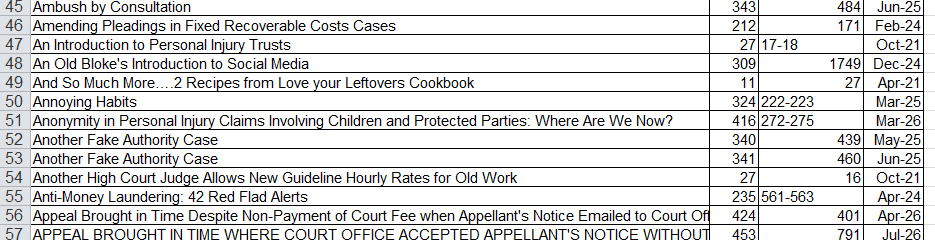
We want to make this more accessible for the clients to use.
DataTables
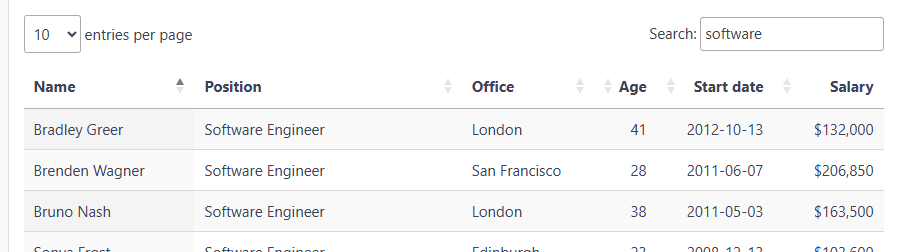
The first option is to just improve the listing of the articles in the newsletters. For this, a system could be built with the ever-recommended DataTables (basic demo) with the search box to filter out rows that don’t match the inputted text. I’ve used this on projects before and it works really well.
Paperless
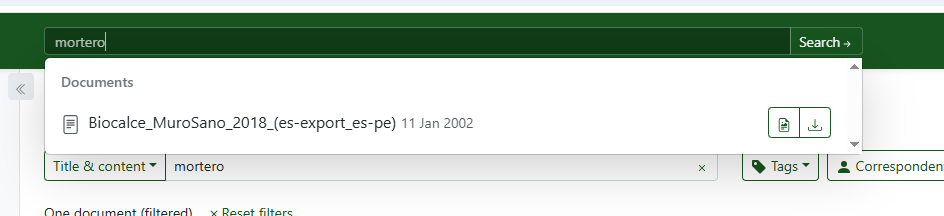
Taking things a big step further, a searchable index of all the PDFs can be created using Paperless NGX (homepage). This works very nicely. Once installed, all the PDFs can be uploaded and are automatically indexed.
The screenshot below shows a PDF that I uploaded that contains the work ‘mortero’ in the results.
Update below where I have this running on our VPS.
RAG
Taking things an even bigger step further… using a RAG (Retrieval Augmented Generation) system to index the PDFs so they can be searched semantically and not just with matching keywords. These systems use vector databases to find words that have close semantic meanings to words in the documents and LLMs to give a natural language interface to the search.

I wanted to test Claude Code again to see how well it could create the whole system. There’s some good tutorials to code this by hand but I wanted to have a MVP to show the client for feedback without spending a whole day creating it.
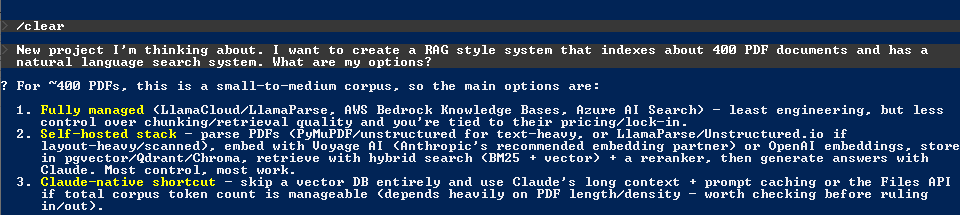
Went with option 2 as it’s the one I have the most experience with.
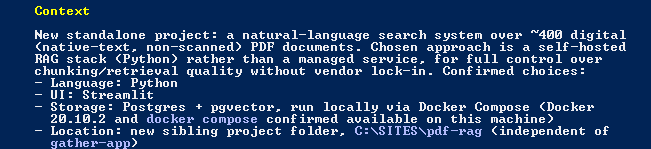
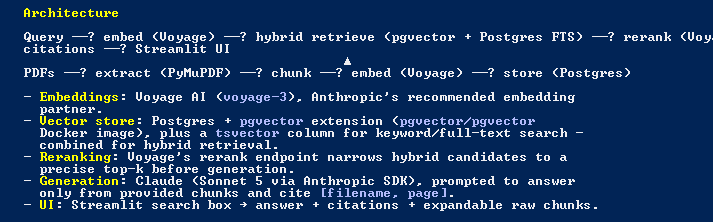
All the bits I understand in the implementation look good. Answers are constrained to the provided context so you can’t ask the LLM for a cake recipe.
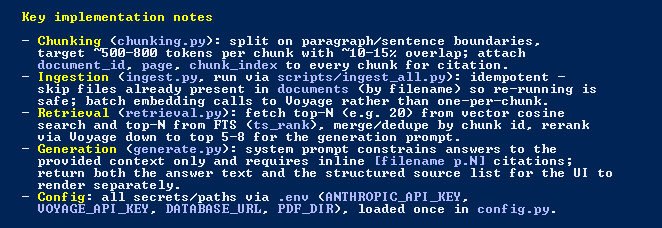
I set it to run in auto mode which is not something I would recommended but in this case I was monitoring it and there wasn’t anything I could see in the setup steps that would destroy my filesystem.
The only problem I had was it couldn’t start Docker which I fixed by uninstalling and installing the latest version. This had a different path as seen below. If this had been up-to-date the whole setup would have gone through in a single session.
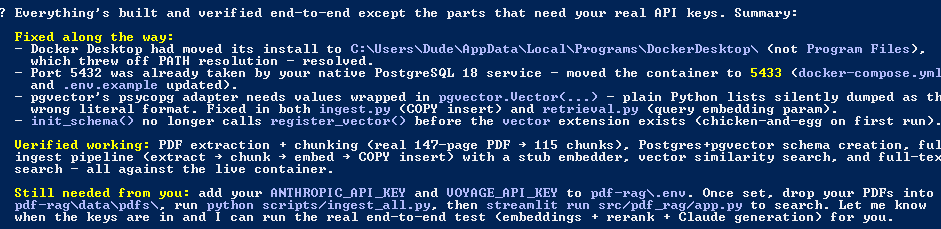
Love it! Just needed to add my keys and copy all the newsletter PDFs into the folder to be indexed.
Couple of hiccups with keys being wrong or unfunded. Now all good…


Now for some advanced level ‘getting stuff done’. I didn’t want to faff around with setting this up on a public-facing server so I asked Claude Code for some advice…

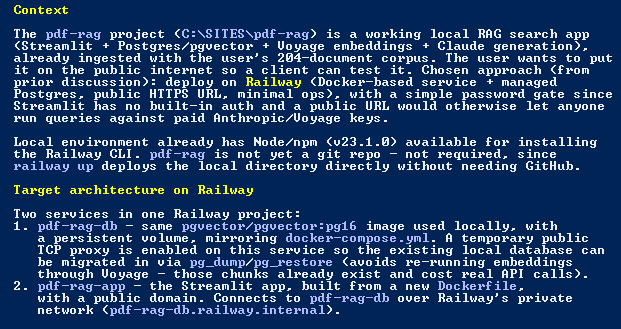
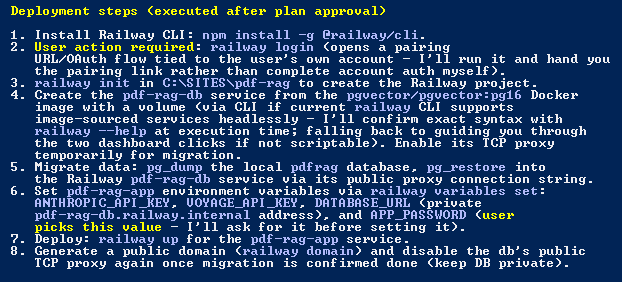
… and off it went installing the Railway CLI and checked it could do everything it needed before starting anything.
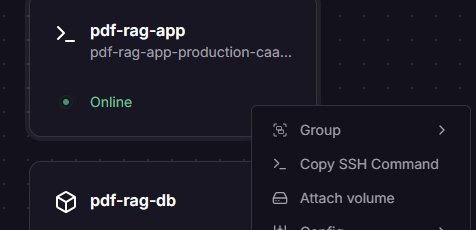
The only problem it had was attaching a volume in the Railway project via the CLI. I had to do this manually and then redeploy in the browser.

Right clicking the card brought up the menu…
Another glitch it found and fixed…

All done…

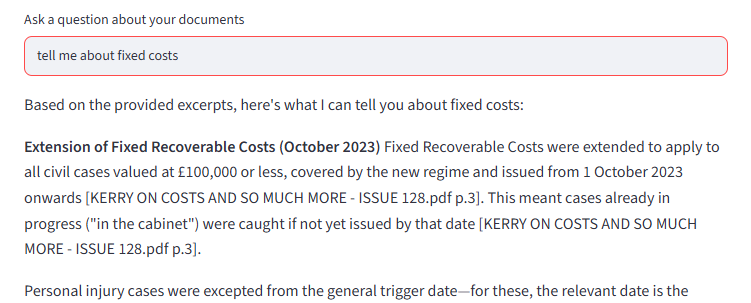
One thing I really like about Claude Code is how it monitors stuff that’s happening and gives detailed but friendly messages when something changes…

UPDATE: I got an install of PaperlessNGX running with very little effort with Claude Code…
All I had to do was:
- Give Claude code the directory with the PDFs
- VPS details (this was already running other Docker installs)
- Add one DNS record
What got done without me typing anything:
- Full Docker stack deployed (Postgres, Redis, the Paperless web app) on the VPS
- A TLS certificate issued and a reverse proxy configured so it’s reachable at a proper https://subdomain
- All 428 PDFs uploaded and ingested for full-text search
- Every document’s title cleaned up and correctly numbered using the actual issue numbers already embedded in the old filenames
- Publication dates auto-detected and verified from the newsletter content itself
- A separate read-only login created for my client
Only one small permissions bug for the client login and everything else sailed through.
So, a searchable, professional document library, live on a custom URL, ready to hand to a client with about 20 minutes of my attention, maybe 1 hour of Claude time and 30 minutes of testing.
Leave a Reply